Home | Troubleshooting |

 Cisco How to| Local Search | Site Map | Forums| Windows Vista | Services  | Careers  | Contact Us| About Us     

Clearapps network inventory
software.


How to manage Windows Quota

  1. Logon the server.
     
  2. Right-click on the drive you want to enable quota.
     
  3. Select Properties.
     
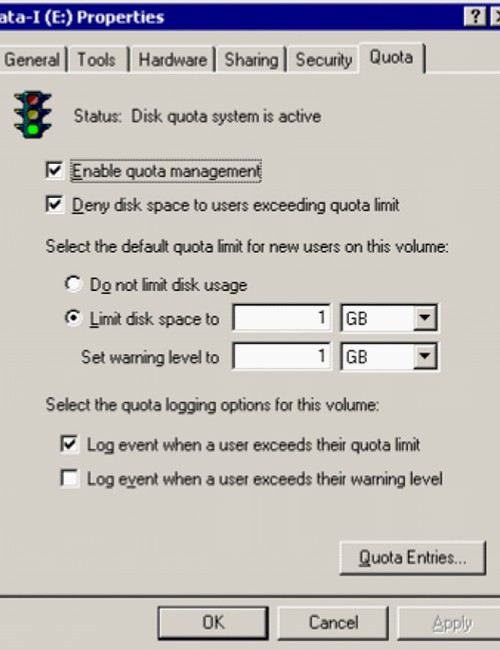
  4. Click Quota and then Quota Entries.
     
  5. Highlight the user you want to modify.
     
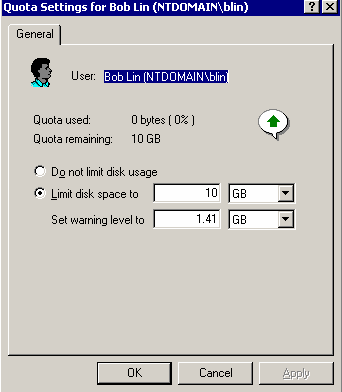
  6. Double-click to open the quota settings.
     
  7. Click OK to save the settings after you modify the quota.


Related Topics

How to enable Windows Disk Quota
How to manage Windows Quota
The warning notification of disk quota


Hit Counter   This web is provided "AS IS" with no warranties.
Copyright © 2002-2010 ChicagoTech.net, All rights reserved. Unauthorized reproduction forbidden.