Home | Troubleshooting |  Quick Setup  |  Cisco How to  |  MS-MVP  |  Wireless  |  Forums   | Site Map | Services  | Donations | Careers  | Search                          

Clearapps network inventory
software.


 How to use Vista Problem Reports and Solutions

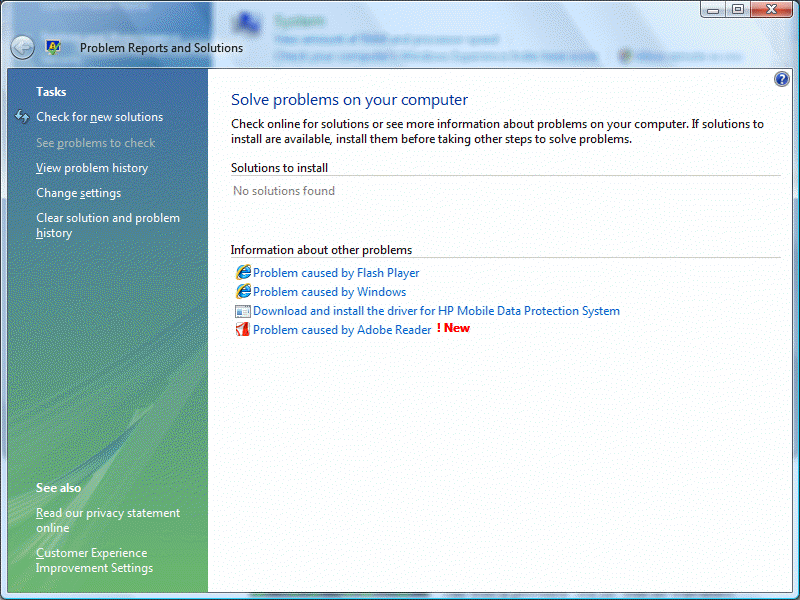
The Problem Reports and Solutions is a component included in Windows Vista and Windows Server 2008 that tracks system problems and provides possible solutions to those problems. To open Problem Reports and Solutions, please following these steps:

1. Go to Start >Control Panel>System and Maintenance.

2. In the System and Maintenance screen, double click on Problem Reports and Solutions.

3. In the Problem Reports and Solutions screen, install any available solutions.

4. Restart the computer after the solutions are installed.

Post your questions, comments, feedbacks and suggestions

Contact a consultant

Related Topics


Your Ad Here

Hit Counter   This web is provided "AS IS" with no warranties.
Copyright © 2002-2012 ChicagoTech.net, All rights reserved. Unauthorized reproduction forbidden.