|
Dell How to
Add two Hard drives to Dell R740 server RAID 10
Back-Panel Features and Indicators in Dell PowerEdge C6100 System - Step by step with screenshots
Enable or disable Boot to UEFI Mode or Legacy BIOS Mode
Front-Panel Features and Indicators in Dell PowerEdge C6100 System - Step by step with screenshots
How can I install OS using ISO on Dell PowerEdge R730 server
How to configure
network settings in Dell iDRAC
How to Clear Dell System Event Log in iDRAC
How To Deploy GPT Partition for Windows Server 2012 -
Step by step with screenshots
How to enable Dell Server Virtualization Technology
How to find which slots are using for memory on Dell
R710- Step by step with screenshots
How to install OS using Lifecycle Controller in Dell
Server - Step by step with screenshots
How to install OS using GPT in Dell R720
How to setup Dell iDRAC
How to turn off or delete Dell iDRAC session
What’s Dell KVM Over IP - Step by
step with screenshots
What's VRTX Chassis Management Controller
How to configure network settings in Dell iDRAC
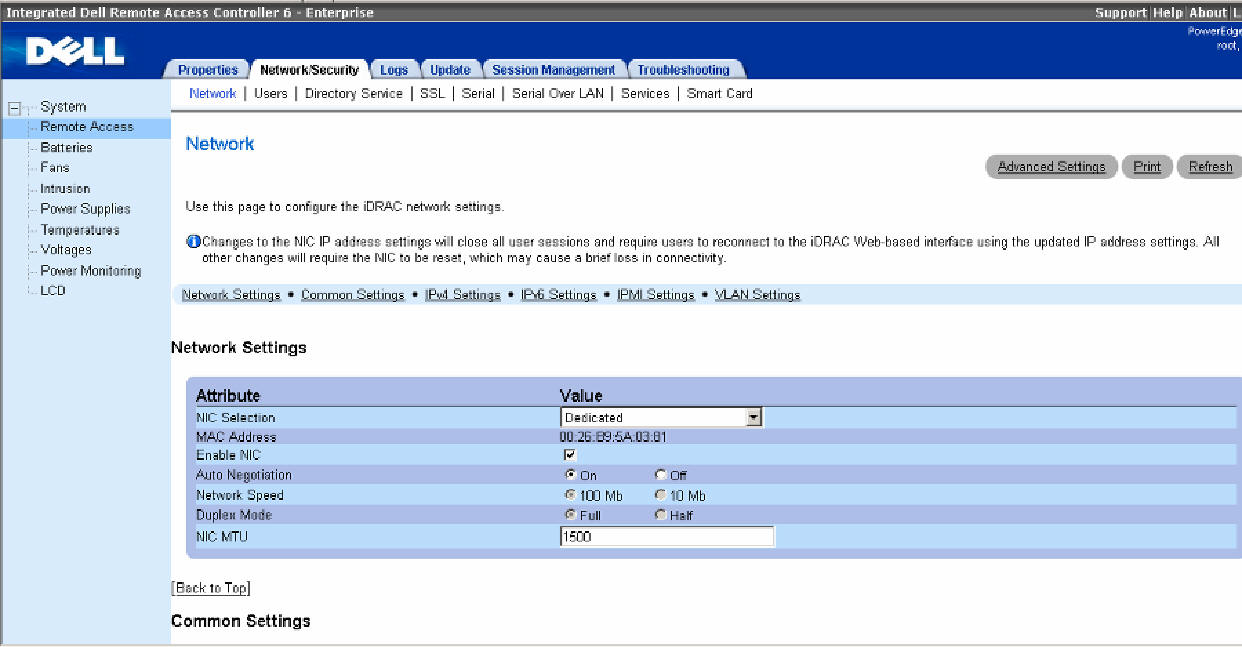
1. Access iDRAC.
2. Click Remote Access on the left.
3. Click on Network/Security.
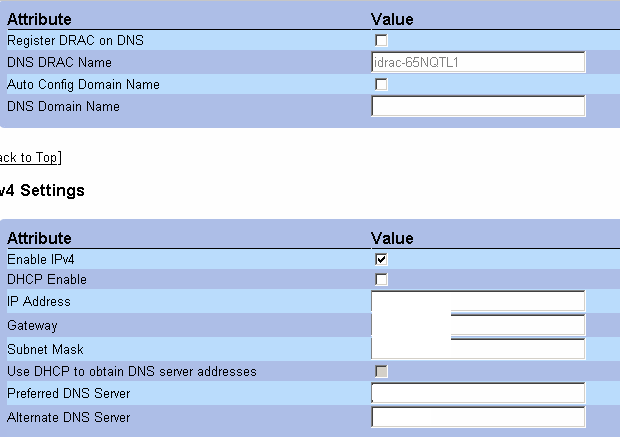
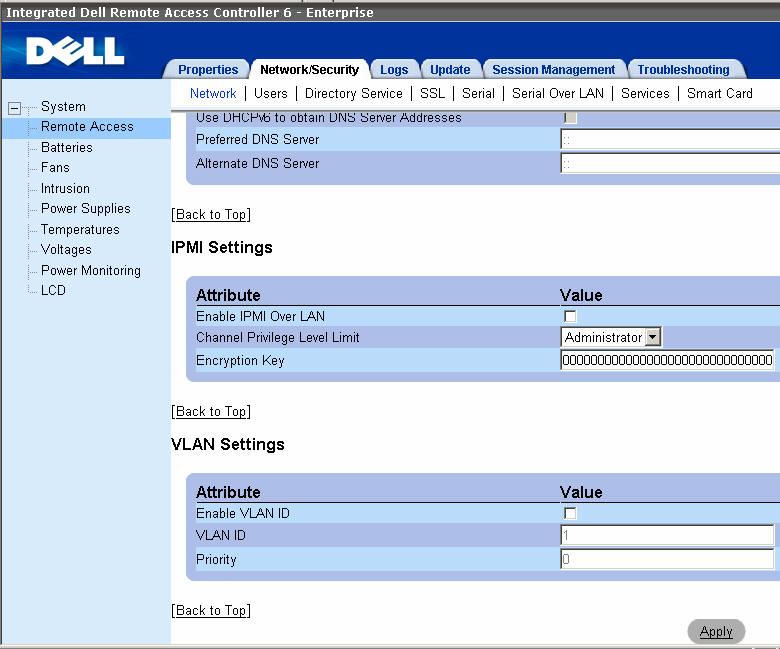
4. In the Network page, you can configure DNS name, VLAN
and IP address as shown below.
Post your questions, comments, feedbacks and suggestions
Contact a consultant
Related Topics
|
