|
|
|
|||
|
How to Create a Group Policy in SBS 2003 - Prohibit access to properties of components of a LAN connection
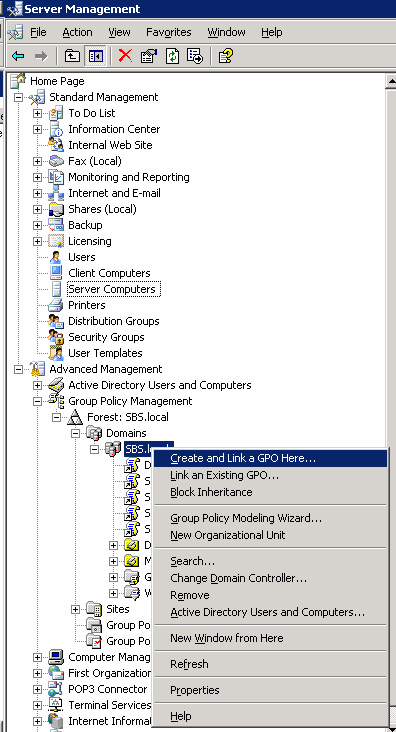
How to create and link GPO
1. Open Server Management>Advanced Management>Group Policy Management>Forest: domain name>Domain.
2. Right click on the domain name, sbs.local in our case.
3. Select Click and Link a GPO Here.
4. Type the group policy name, TS policy in our case.
Post your questions, comments, feedbacks and suggestions Related Topics |
|
|
This web is provided "AS IS" with no warranties.
Copyright © 2002-2018
ChicagoTech.net,
All rights reserved. Unauthorized reproduction forbidden.