|
|
|
|||
|
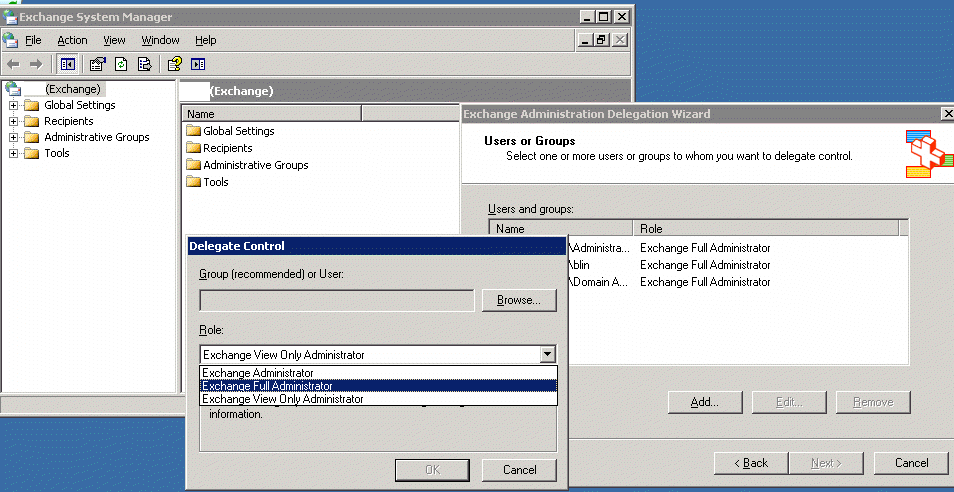
How to assign Exchange Full Administrator role to a user
1. Open Exchange System Manager. 2. Right click on the exchange organization name and Select Delegation Control. 3. Click Add in the Users or Groups. 4. Browse the user you want to assign the role. 5. In the Role, select Exchange Full Administrator. 6. Click OK and Next to complete the settigns.
Post your questions, comments, feedbacks and suggestions Related Topics
|
|
|
This web is provided "AS IS" with no warranties.
Copyright © 2002-2018
ChicagoTech.net,
All rights reserved. Unauthorized reproduction forbidden.